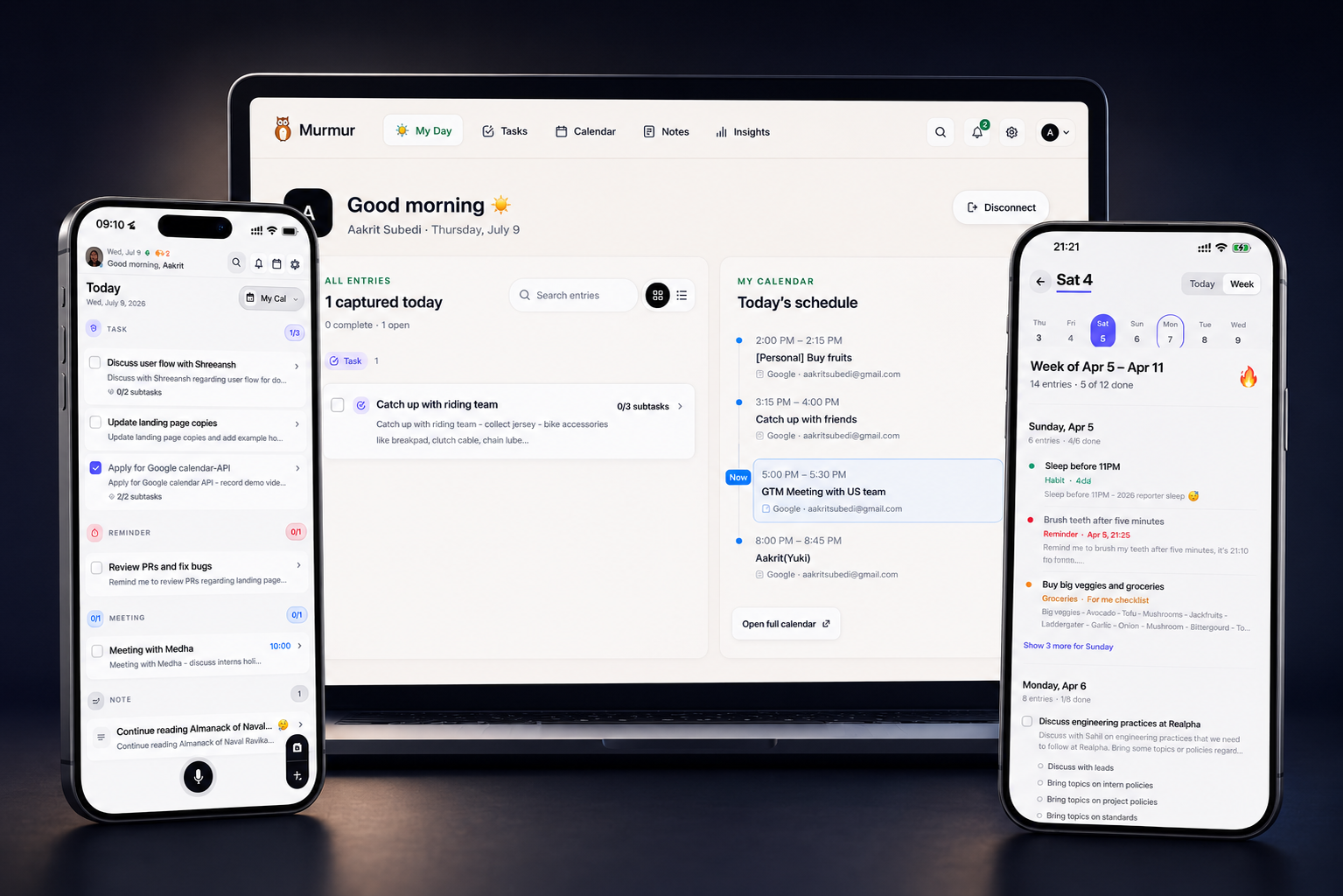
Most productivity systems ask you to stop what you are doing, decide where a thought belongs, and format it correctly. Murmur starts from a different idea: capture first, let the system organize, and decide what to do when you have the attention for it.
Murmur is a second-memory app for the ideas, tasks, reminders, meetings, purchases, and plans that arrive throughout a normal day. You can speak, type, or take a photo. Murmur turns that input into a structured entry and brings it back when it becomes useful.
Capture in the way the moment allows
Voice is the fastest path when you are walking, cooking, commuting, or thinking out loud. Tap the microphone and speak naturally; Murmur transcribes the thought and preserves the useful details. In quieter moments, text capture gives you the same organization without speaking. Vision capture turns receipts, handwritten pages, and other readable images into digital entries instead of leaving them buried in your camera roll.
- Voice capture for complete thoughts without typing
- Text capture for meetings, cafés, and quiet spaces
- Photo capture for receipts, handwriting, and printed information
From raw thought to useful structure
A note becomes more valuable when the important parts are easy to find. Murmur identifies the kind of entry you captured and structures it as a task, reminder, idea, meeting, finance item, health note, shopping item, habit, travel plan, or general note.
That structure is the quiet work behind the experience. A spoken reminder can retain its date, a receipt can retain an amount, and a meeting thought can remain distinct from a personal idea. You spend less time maintaining a filing system and more time acting on what you saved.
- Automatic categories and concise summaries
- Dates, times, amounts, and context retained when available
- Searchable entries that remain readable later
Your day, in one clear view
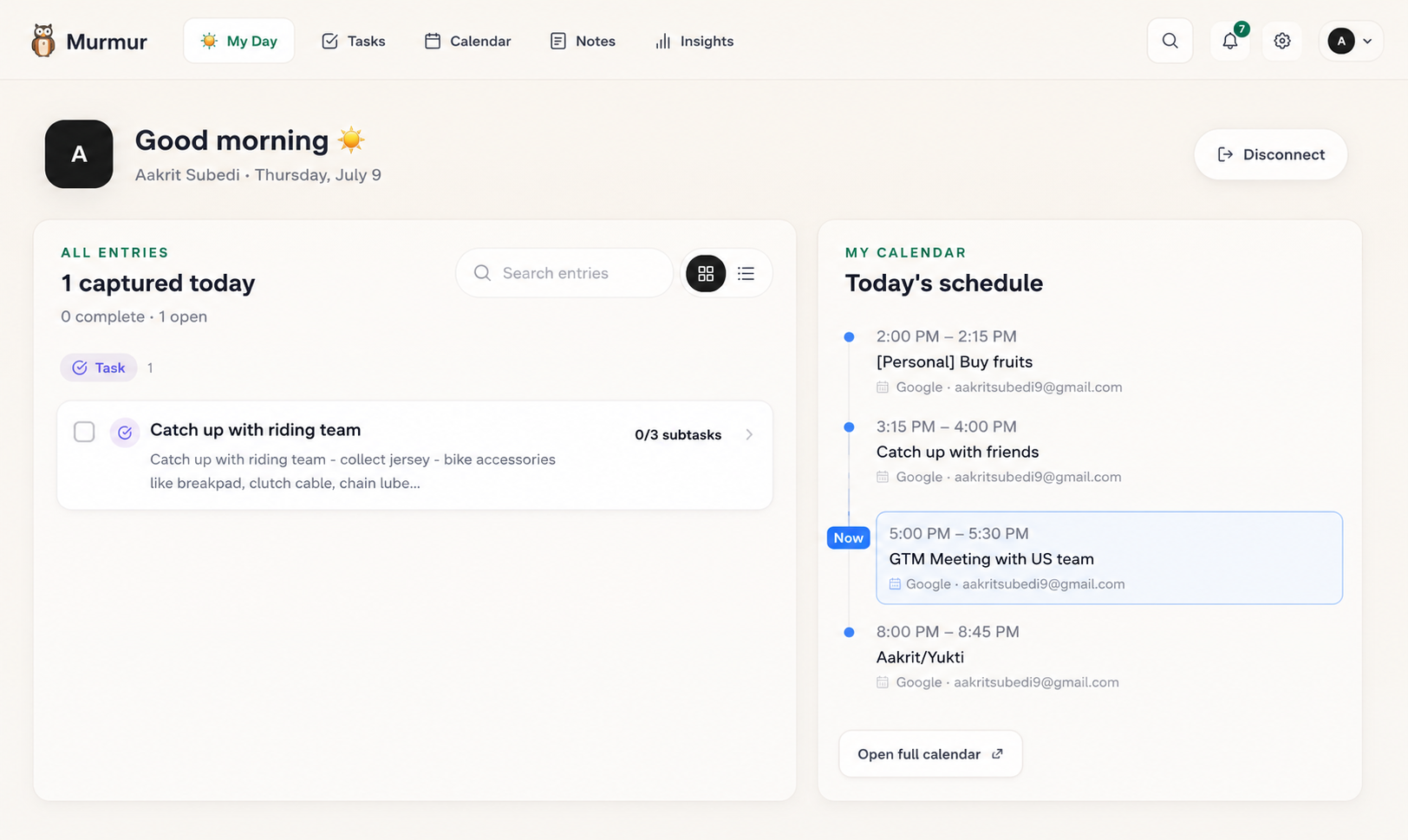
The My Day experience brings your entries and calendar context together. It is designed for the two moments when a productivity system matters most: deciding what deserves attention and reviewing what did not get finished.
Tasks that are still open do not need to disappear at midnight. Rollover helps unfinished work remain visible the next day, so the system reflects real life instead of turning yesterday into a graveyard of unchecked boxes.
Reminders, routines, and weekly perspective
Murmur can notify you at the scheduled time for an entry and support optional morning, afternoon, and evening routines. Each routine can be controlled independently, including its time, so prompts support your day rather than interrupt it.
A weekly summary adds perspective beyond the next checkbox. It helps you revisit what you captured and notice the themes, commitments, and ideas that might otherwise blur together.
Connect the system you already trust
Murmur does not require you to abandon the tools where your plans and knowledge already live. Google Calendar and Apple Calendar provide time context. Notion receives structured entries for databases and project dashboards. Obsidian receives Markdown notes over your local Wi-Fi for a file-based knowledge system.
The result is a capture layer in front of your existing workflow: Murmur catches the thought while your calendar, Notion workspace, or Obsidian vault remains the long-term home you chose.
- Google Calendar and Apple Calendar visibility
- One-way Murmur-to-Notion database sync
- One-way Murmur-to-Obsidian Markdown sync over local Wi-Fi
Frequently asked questions
What can I capture in Murmur?
You can capture thoughts with voice, text, or photos and organize them as tasks, reminders, ideas, meetings, finance entries, health notes, shopping items, habits, travel plans, and notes.
Does Murmur work with my calendar?
Yes. Murmur supports Google Calendar and Apple Calendar so selected events can appear alongside your saved entries.
Can Murmur connect to a second-brain app?
Yes. Murmur supports one-way sync to Notion and Obsidian, allowing Murmur to remain your fast capture layer.